Make your first image Text to image
Start with one sentence describing what you want. The whole request is a prompt, a model and a seed.
The same tutorial, three subjects
Prompt
1 · Describe the picture
is where you write what you want to see. Write it as a plain description: - what the subject is
- where the subject is
- what the light and the mood are like
a woman in her 30s with a sleek silver bob haircut, round copper goggles resting up in her silver hair, a patched teal canvas coat, a small brass compass on a cord around her neck, standing at the wooden railing of a zeppelin airship's open gondola deck at sunset, the vast canvas envelope of the airship curving overhead, brass fittings and taut rigging, wind pulling at her coat, a sea of clouds below, cinematic lighting, rich detail, professional photography, high dynamic rangenames what you do not want in the picture. This one asked to avoid: lowres, blurry, deformed, extra limbs, watermark, text, jpeg artifacts, ocean, sea, water surface, sailing ship, boat, cruise ship, sunglassesModel & style
2 · Pick the model
A is the trained network that draws the picture.Each model learned from a different set of images, so they differ in: - the look they give a picture
- the subjects they handle well
- the way they read a prompt
Size
3 · Set the size
is the width and height of the picture in pixels.A model is trained at one size and works less well away from it, so it pays to match. AlbedoBase XL (SDXL) is an SDXL model, trained at 1024 by 1024. - Ask for much less and the framing collapses to a cramped close-up.
- Ask for much more and the model tends to draw the subject twice.
Sampling
4 · Choose how many steps
The model builds the picture in passes, tidying it a little each time. is how many passes it makes. - Too few, and the image stays vague and smeared.
- Past a point, more passes change almost nothing and only cost you time and kudos.
Steps 2 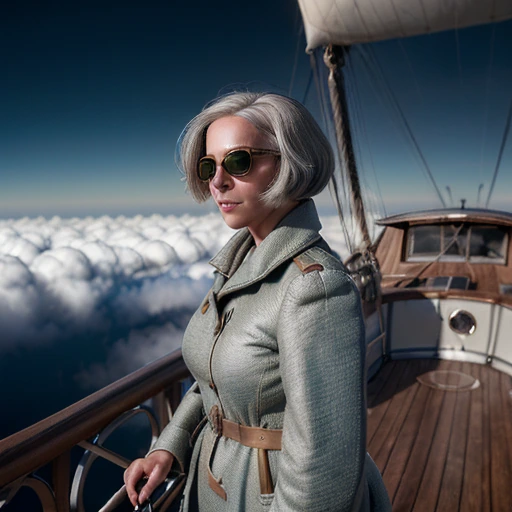
Steps 50 - Sampling
5 · Set the guidance
decides how hard the model is pushed to obey your words. - Set it low and the model follows your words loosely, so the picture is pleasant but not quite what you asked for.
- Set it high and it follows you so literally that the colours go harsh and the picture looks overdone.
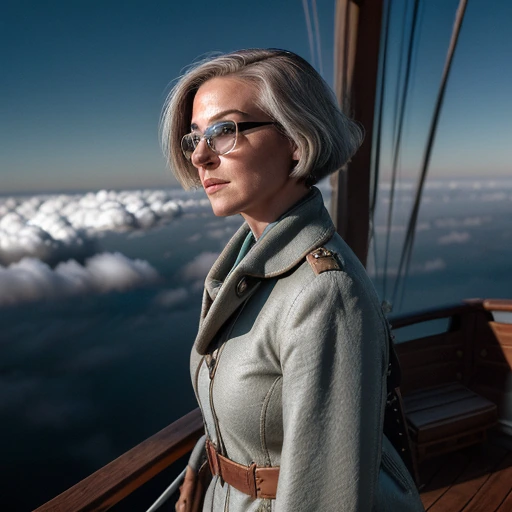
Guidance 7 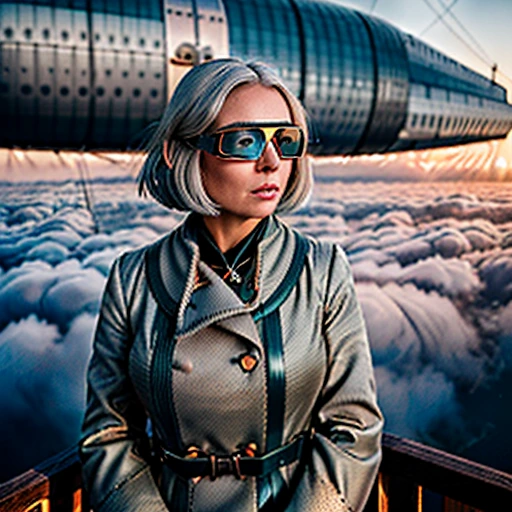
Guidance 20 - Sampling
6 · Pick the sampler
is the method used to turn the starting noise into a picture over those steps.Samplers differ in how quickly the image settles and in how much the result varies between runs.This example used k_euler_a, which is a dependable place to start. - Sampling
7 · Keep the same seed
is the number the starting noise is generated from. The same seed with the same settings gives the same picture.This example fixes it at 1234567890, which is what makes the example repeatable. - Working on your own, leave it blank, so that every run gives you a fresh picture.
- Fix it once you have a picture you like and want to change one thing about it.
8 · Send it to the horde
That is the whole request.Press Generate and it joins a queue that volunteer workers pick jobs from, so your image arrives in anything from a few seconds to a few minutes.It will not be identical to the example, and that is normal. This run took about 20 seconds and cost 45 kudos.
Where next
You have made a picture from a sentence, and you know what each number in the request does. Next: changing a picture you already have, instead of starting from noise. That is img2img, and the picture you just made is a good one to try it on.